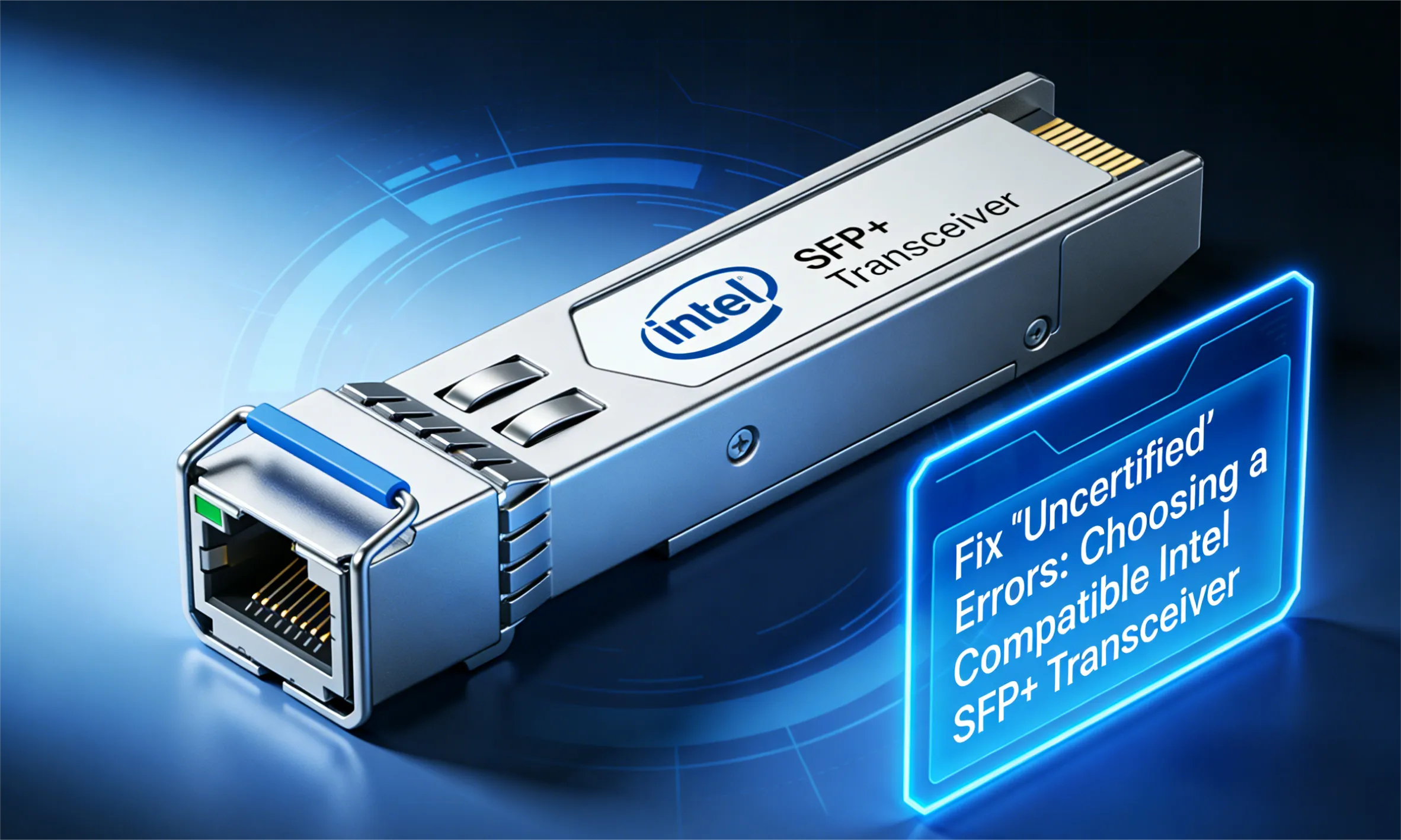

The Intel SFP+ Transceiver forms the backbone of countless 10 Gigabit Ethernet (10GbE) networks, driven by the popularity of Intel NICs like the venerable X520 and the advanced X710 series. However, network managers frequently face a critical and frustrating challenge: deploying cost-effective third-party SFP+ transceivers often results in the dreaded “Uncertified Module” error or outright link failure. This vendor lock-in forces unnecessary spending on expensive original equipment manufacturer (OEM) modules.
This comprehensive guide, brought to you by PHILISUN, dives into the technical reasons behind the Intel SFP+ compatibility crisis. We will demystify the firmware verification process and show you how PHILISUN’s custom-coded and 100% pre-tested Intel SFP+ Transceiver solutions provide instant, reliable, and cost-effective connectivity, ensuring high performance across your 10G infrastructure.
1. Why Does My Intel SFP+ Transceiver Show an “Uncertified” Error?
The problem is not a hardware fault; it is an intentional firmware restriction imposed by Intel. The Network Interface Card (NIC) firmware is programmed to look for specific identifying codes within the connected SFP+ module before initiating a link. If the code does not match the expected OEM signature, the NIC rejects the transceiver.
Deep Dive into the X520/X710 Firmware Verification Protocol (The A0h Byte)
Every SFP+ module adheres to the SFF-8472 industry standard, storing identification data in an internal memory (EEPROM) accessible at the A0h memory address. The NIC queries this address to read crucial fields, including:
- Byte 39-54 (Vendor Name): A string identifying the module manufacturer (e.g., “INTEL”).
- Byte 56-71 (Vendor Part Number): The specific part number of the transceiver.
To ensure compatibility, a generic transceiver must be custom-coded to write the required Intel Vendor Name and Part Number into its A0h memory map. Without this precision coding, the Intel NIC will register the module as uncertified and refuse to enable the port. This is why a non-coded module is useless when paired with an Intel X520 or X710 NIC.
2. How to Diagnose Intel NIC Lockout: Checking Compatibility Status
Before purchasing expensive OEM modules, IT technicians must accurately diagnose the rejection reason. This often requires utilizing command-line tools available on the host operating system.
Using ethtool to Verify Vendor ID and Part Number
On Linux systems, the ethtool -m <interface> command (or a similar utility for Windows/VMware) allows you to read the transceiver’s internal EEPROM data. If the module is rejected, the NIC’s management log will indicate a vendor mismatch.
For a compatible Intel SFP+ Transceiver, the output fields (Vendor Name and Part Number) must exactly match the string expected by the installed Intel NIC driver package. If you see a generic vendor name like “Generic OEM,” the module is incorrectly coded for the Intel platform.
The Risks of Attempting Firmware Modification
While it is theoretically possible to modify the NIC firmware to bypass the vendor lock (often referred to as ‘uncertified module enabling’), this is highly discouraged. It is often unstable, voids all manufacturer warranties on the NIC, and can lead to unexpected performance issues or driver conflicts during system updates. A safe, supported, and professional solution relies on using pre-coded transceivers.
3. PHILISUN’s Solution: Guaranteeing 100% Compatibility for Your Optical Transceiver Series
PHILISUN eliminates the compatibility hurdle by specializing in transceivers that are coded and verified to pass the Intel NIC firmware check instantly. We provide a genuine plug-and-play experience, saving you hours of downtime and troubleshooting.
The Multi-Stage Testing Process for Every Intel SFP+ Transceiver
Every Intel SFP+ Transceiver supplied by PHILISUN undergoes a rigorous, multi-stage process that guarantees plug-and-play functionality:
- Custom Code Injection: Our technical team loads the specific Intel code (corresponding to the X520, X710, or other chipsets) onto the SFP+’s A0h EEPROM.
- Live Platform Testing: The coded module is then inserted into an actual Intel NIC (e.g., an X710-DA4) hosted on a target server platform to verify that it initializes, registers the correct speed, and establishes a stable link.
- Performance Verification: We perform signal integrity and power budget tests to ensure the module performs flawlessly under load.
By pre-testing our Optical Transceiver Series directly on Intel hardware, we eliminate the guesswork and ensure your 10G link is stable from day one.
4. The 10G Choice: Intel SFP+ Transceiver vs. DAC vs. AOC (Cost Analysis)
For 10GbE connectivity, purchasing a fiber optic Intel SFP+ Transceiver and a separate cable is the only option. Depending on the distance, Direct Attach Cables (DAC) and Active Optical Cables (AOC) offer cost-effective alternatives.
| Solution | Distance | Cost (vs. Transceiver) | Power Consumption | Best For |
| Intel SFP+ Transceiver + Patch Cord | Long-Reach (10km+) | High | Medium | Backbone, long-distance runs. |
| Direct Attach Cable (DAC) | Short-Reach (< 7m) | Very Low | Minimal (Passive) | Inter-rack, ToR connections. |
| Active Optical Cable (AOC) | Mid-Range (< 70m) | Medium | Low | Runs between adjacent rows or large rooms. |
When Copper DACs Are Ideal for Short-Reach Connections
For connections between a server and the Top-of-Rack (ToR) switch within the same rack (typically less than 5 meters), a copper DAC (Direct Attach Cable) is the most economical and lowest latency solution. DACs are passive (no power consumption) and provide instant 10G connectivity. PHILISUN provides pre-coded DACs that are guaranteed to be accepted by Intel NICs, offering a zero-power, zero-error solution for short links.
Active Optical Cables (AOCs) for Mid-Range 10G Links
For mid-range distances (up to 70m), AOCs (Active Optical Cables), available in our AOC/DAC Cables series, bridge the gap. AOCs use fiber but have fixed SFP+ heads, making them lighter and thinner than DACs, and are often cheaper than two transceivers plus patch cables. They are ideal for connecting Intel NICs across adjacent racks or down the length of a data hall.
5. SR vs. LR: Selecting the Right Distance for Your Intel SFP+ Transceiver
Choosing the right module type depends entirely on the fiber type and the distance required for your 10G link.
| Module Type | Fiber Type | Max Distance | Application |
| SFP-10G-SR | Multi-mode (OM3/OM4) | 300m / 400m | Short-reach Data Center connections, inter-rack links. |
| SFP-10G-LR | Single-mode (OS2) | 10 km | Campus networks, long-haul enterprise links, and connection to Metro WAN. |
When to Use BiDi SFP+ Transceivers to Double Fiber Capacity
Bi-Directional (BiDi) Intel SFP+ Transceiver modules are an excellent choice for extending your network without running new fiber. A BiDi module uses two different wavelengths (Tx/Rx) to transmit and receive data over a single fiber strand, effectively doubling the capacity of existing single-mode fiber infrastructure. When network growth outpaces your fiber deployment, BiDi transceivers from PHILISUN provide a high-value upgrade path.
6. Ensuring Longevity: DDM Monitoring and Quality Verification
The stability of your 10G link depends not just on compatibility, but on the long-term health of the transceiver. High-quality SFP+ modules include DDM (Digital Diagnostics Monitoring) capabilities, which allow the host NIC to monitor the module’s vital signs in real time.
Understanding Digital Diagnostics Monitoring (DDM) Data
A reliable Intel SFP+ Transceiver provides key DDM metrics, including:
- Temperature: Internal module temperature (crucial for thermal management).
- Voltage: The supply voltage to the laser circuitry.
- Tx Bias Current: The current driving the transmitting laser.
- Tx Power & Rx Power: The optical output power (Tx) and received power (Rx) in dBm.
PHILISUN ensures that all our SFP+ modules provide accurate and stable DDM reporting, allowing you to proactively monitor link health and preemptively catch potential failures before they result in downtime.
7. The Cabling Layer: Pairing Your Transceiver with a Low-Loss Patch Cord
The highest-performing Intel SFP+ Transceiver is only as good as the cable it connects to. For 10G links, even small amounts of signal degradation can lead to errors and instability.
For both multi-mode (SR) and single-mode (LR/BiDi) connections, a low-loss patch cord is crucial. PHILISUN ensures that all our Simplex Fiber Optic Patch Cord Series meet strict geometric and low-loss standards. A clean, correctly polished end-face is critical to avoiding high return loss, which can destabilize the laser in the SFP+ module and degrade 10G link quality.
Conclusion
The complexity of vendor lock-in should not prevent you from optimizing your network budget. The right solution for your 10G network is a fully compatible, high-quality Intel SFP+ Transceiver that is guaranteed to work with your specific Intel NIC platform.
PHILISUN provides pre-coded, 100% tested SFP+ modules, backed by our expertise in A0h coding and platform verification. We ensure seamless integration, high performance, and zero compatibility errors across your entire Intel 10G infrastructure, whether you choose our long-haul transceivers or cost-effective AOC/DAC Cables.