
SFP optical modules are the unsung heroes of fiber networking—the essential interface that converts electrical signals from network equipment into optical signals for transmission over fiber optic cable, and vice-versa. Choosing the wrong SFP optical module can result in link failure, instability, or budget waste, making informed selection vital for any IT professional.
SFP stands for Small Form-Factor Pluggable, a compact, hot-pluggable interface used universally in switches, routers, and firewalls. This technology has continuously evolved, scaling from the original 1G SFP up to 10G SFP+ and the modern 25G SFP28, which is crucial for 100G aggregation. As data center speeds increase, the reliability and power efficiency of the SFP optical module become paramount, directly impacting overall system thermal management and uptime. A robust optical backbone is only as strong as the transceivers linking the components.
This comprehensive guide will not only define the technology but will also provide the actionable steps and comparison data you need to ensure 100% compatibility and optimize performance for every network port. For high-quality, pre-coded solutions, leading vendors like PHILISUN provide comprehensive optical transceiver series, ensuring seamless integration into all major OEM hardware. Selecting the right SFP optical module starts here.
What is an SFP Optical Module?
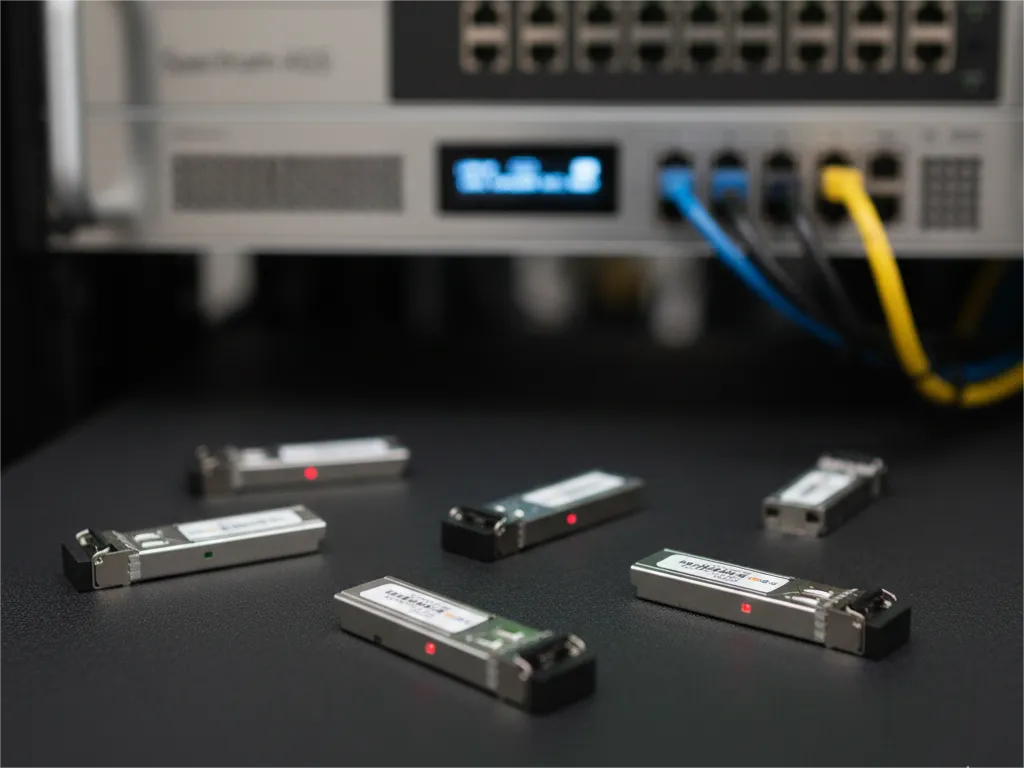
The SFP optical module is a standardized, modular assembly designed to be quickly installed or removed from a device’s port without requiring the device to be powered down. This key feature—being hot-pluggable—is essential for simplifying network maintenance and minimizing downtime during upgrades.
The SFP optical module serves as the critical intermediary between the electronic circuitry of a network device (like an Ethernet switch) and the physical fiber optic cable. It takes the high-speed electrical data from a switch ASIC and modulates a laser light source to transmit the data over fiber.
Internal Components and Digital Diagnostics
Every SFP optical module operates via two main functional blocks:
- Transmitter (TX): Houses the laser diode (VCSEL or DFB) that converts the electrical input into a precise, high-speed optical light pulse.
- Receiver (RX): Contains a highly sensitive photodiode that detects the incoming optical light and converts it back into a measurable electrical signal.
A modern, essential feature of high-quality SFP optical modules is Digital Diagnostics Monitoring (DDM), sometimes referred to as Digital Optical Monitoring (DOM). DDM allows network administrators to monitor real-time operating parameters, including temperature, supply voltage, and the optical transmit (TX) and receive (RX) power. This telemetry data is crucial for proactive fault detection, predictive maintenance, and ensuring the longevity of the module. A module running too hot or operating outside its specified power range is a leading indicator of link failure, making robust DDM support a non-negotiable requirement for mission-critical deployments.
The SFP Evolution: Types and Data Rates
The SFP form factor has proven incredibly resilient, maintaining its compact size while exponentially increasing its data rate capacity. Vendors like PHILISUN offer products across this entire spectrum to support all networking generations, from legacy systems to modern cloud infrastructures.
A. SFP (Standard)
The original SFP optical module primarily supports data rates up to 1.25 Gbps for Gigabit Ethernet and Fibre Channel applications. These transceivers remain widely used for access layer connectivity, legacy backbone links, and specialized industrial equipment.
For these standard deployments, look at the PHILISUN SFP 1.25G Optical Transceiver Series.
B. SFP+ (Enhanced)
SFP+ is the dominant standard for 10 Gigabit Ethernet (10GbE). It supports data rates up to 10 Gbps. The “plus” designation indicates a key technical distinction: the clock and data recovery functionality was moved from the module back to the host card. This clever design decision kept the SFP+ physically the same size as the SFP, allowing for higher port density and a more streamlined manufacturing process than its predecessor, XFP. SFP+ is the backbone of most modern campus and mid-sized data center distribution layers.
C. SFP28 (High Density)
SFP28 supports data rates of 25 Gbps and is fundamental to modern cloud and hyper-scale data centers. It enables the next generation of server-to-switch connectivity and is the core building block for 100G networks, where four SFP28 links are aggregated via a QSFP28 form factor. The jump from 10G to 25G per lane is a key step in hyperscale expansion.
For demanding 25G applications, you can review the PHILISUN SFP28 25G Optical Transceiver Series.
D. Specialty SFP Variations
- Bi-Directional (BiDi) SFP optical module: These modules are highly valued for their ability to maximize fiber capacity, using a single fiber strand for both transmission and reception by operating at two different wavelengths (e.g., 1310nm/1550nm). This is crucial in fiber-scarce environments.
- CWDM/DWDM SFP optical module: These specialized transceivers work with Wavelength Division Multiplexing technologies, enabling the simultaneous transmission of multiple, high-bandwidth data streams across a single fiber by assigning each stream a unique wavelength (color) of light.
5 Critical Factors for SFP Selection
Selecting the right SFP optical module requires a methodical approach. Use this checklist to ensure complete compatibility and optimal network performance.
A. Factor 1: Data Rate and Standard
The SFP optical module data rate must exactly match the data rate of the port it plugs into. While SFP+ ports are often backward compatible with 1G SFP modules, they will run at the slower speed. Mixing rates on a single link (e.g., 10G SFP+ on one end, 25G SFP28 on the other) will almost always result in a link failure. Always verify the module’s speed aligns with both the port and the intended application.
B. Factor 2: Fiber and Wavelength Compatibility
The module must be compatible with the physical fiber type in your network:
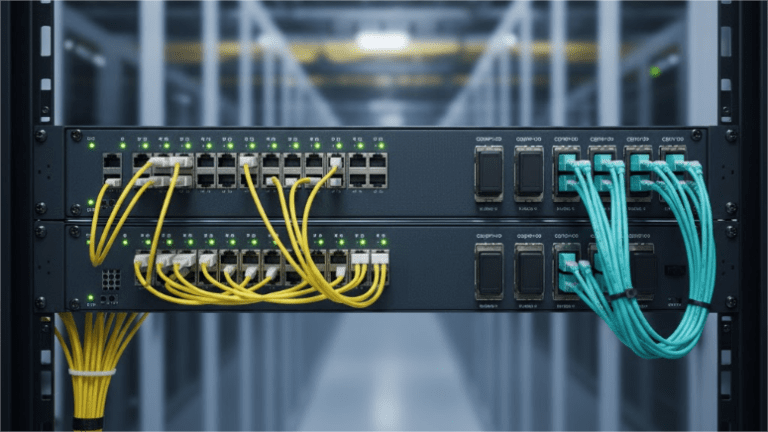
- Multi-Mode Fiber (MMF): Typically orange or aqua jacketed, MMF uses 850nm lasers for shorter distances (up to 550m).
- Single-Mode Fiber (SMF): Typically yellow jacketed, SMF uses 1310nm or 1550nm lasers for long distances (10km, 40km, 80km, etc.).
You must match the fiber jacket color/type and the distance requirement to the SFP’s wavelength specifications: Short Reach (SR) for MMF, and Long Reach (LR), Extended Reach (ER), or Z-rated Reach (ZR) for SMF. Never pair an MMF module with SMF fiber, or vice versa.
C. Factor 3: Distance and Budget
The required transmission distance dictates the type and cost of the SFP optical module:
- Short Reach (SR): MMF, lowest cost, ideal for within-rack or intra-data center connections.
- Long Reach (LR): SMF, moderate cost, standard for campus links up to 10km.
- Extended Reach (ER/ZR): SMF, highest cost, specialized for maximum distance (40km to 120km) and typically requires higher laser power.
D. Factor 4: Vendor and Compatibility Coding (The OEM Challenge)
The single biggest obstacle in SFP deployment is compatibility. Host devices (like switches from Cisco, Juniper, or HPE) use proprietary EEPROM coding within the SFP optical module to verify that the module is “authorized.” A module without the correct code will often be rejected, disabled, or limited by the switch’s operating system, triggering warning messages.
High-quality third-party transceivers are electronically programmed with the required code to ensure seamless compatibility and full functionality across major OEM platforms. Choosing a trusted vendor that offers compatibility assurance is key to achieving significant cost savings without sacrificing performance or warranty coverage.
E. Factor 5: Power Consumption and Environment
Power consumption (and resulting heat) must be monitored, especially in high-density installations. For specialized deployments in harsh environments, factories, or unconditioned outdoor enclosures, ensure you select industrial temperature-rated SFP optical modules (rated for -40°C to 85°C), as standard modules only operate in the commercial range (0°C to 70°C).
Installation, Cleaning, and Best Practices
To maximize the life and performance of your SFP optical module, adherence to strict handling protocols is necessary.
A. Proper Handling and ESD
Always handle modules by the metal casing and use an ESD wrist strap. The electronic components are extremely sensitive to electrostatic discharge. When not in use, keep the module in its anti-static packaging and ensure the rubber dust plug is inserted into the optical bore.
B. Connector Cleaning
Fiber optic link failure is most often caused by contamination on the end-face of the fiber connector or the module itself. Before every insertion, use an approved fiber optic cleaning tool (like a click cleaner) to clean the LC or SC connector attached to the fiber cable. Never use compressed air or solvents not approved for fiber cleaning.
C. DDM Monitoring for Troubleshooting
As previously noted, use DDM/DOM functionality to monitor the link. If a link is unstable, check the RX power level. A value too low indicates loss along the fiber path; a value too high indicates an overly strong signal that could damage the receiver. DDM data provides the immediate diagnostic information needed to troubleshoot the link without costly manual checks.
Technical Comparison Table (SFP vs. SFP+ vs. SFP28)
| Feature | SFP | SFP+ | SFP28 |
| Max Data Rate | 1.25 Gbps | 10 Gbps | 25 Gbps |
| Technology | Gigabit Ethernet | 10 Gigabit Ethernet | 25 Gigabit Ethernet |
| Max Power | ~1W | ~1W | ~1.5W |
| Backward Compatible | Yes (Can plug into SFP+ ports) | Yes (Can accept SFP) | Yes (Can accept SFP/SFP+) |
| Standard | IEEE 802.3z | IEEE 802.3ae | IEEE 802.3by |
Conclusion
The final selection process for SFP optical modules ultimately boils down to correctly matching the data rate, fiber type, distance, and ensuring vendor compatibility through proper coding. By following the critical factors outlined above, you can guarantee a reliable and high-performance optical link.
Don’t let perceived brand limitations constrain your network architecture or budget. Using high-quality, pre-coded third-party transceivers is the industry standard for achieving cost-effective performance.
Ready to upgrade your network with 10G or 25G connectivity? PHILISUN provides a range of high-performance SFP+ and SFP28 modules, including specialized BiDi and CWDM options. Explore the SFP+ and SFP28 Series to guarantee a perfect, cost-effective fit for your equipment.
Frequently Asked Questions (FAQ)
1. Can I use an SFP optical module in an SFP+ port?
Yes, generally, an SFP+ port (10GbE) is backward compatible and will accept a standard 1G SFP optical module. However, the link speed will be limited to 1 Gbps. You cannot, however, use an SFP+ module in a standard SFP port, as the SFP+ module’s required data rate (10G) is too high for the 1G port hardware.
2. Why is EEPROM coding so important for my SFP optical module?
The EEPROM (Electrically Erasable Programmable Read-Only Memory) chip inside the SFP optical module contains vendor-specific information (like the manufacturer name, model number, and serial number). Network device operating systems use this code to confirm the transceiver is “authorized” or compatible. Without the correct coding for your switch brand (Cisco, Juniper, etc.), the switch may refuse to enable the port, making the module unusable.
3. What is the maximum distance for SFP+?
The maximum distance depends entirely on the type of SFP optical module and the fiber used:
- SFP+ SR (Multi-Mode): Up to 300 meters (using OM3 fiber).
- SFP+ LR (Single-Mode): Up to 10 kilometers.
- SFP+ ZR (Single-Mode): Up to 80 kilometers (requires specific equipment and may need attenuation).
4. What is the benefit of a BiDi SFP optical module?
The primary benefit is fiber efficiency. A standard SFP optical module requires two fiber strands (one for TX, one for RX). A BiDi (Bi-Directional) module uses internal multiplexers to transmit and receive data over a single strand of fiber, effectively doubling the capacity of your existing fiber infrastructure.