A patch panel and a network switch are not alternatives. A patch panel passively terminates and organizes permanent copper or fiber cabling, while a switch actively forwards Ethernet frames between connected devices. A switch is required for an operating LAN; a patch panel is optional for a small temporary setup but is normally used with the switch in structured cabling.
Patch Panel vs Switch at a Glance
| Feature | Patch panel | Network switch |
|---|---|---|
| Role | Terminates, labels and organizes permanent cabling. | Connects devices and forwards Ethernet frames. |
| Power | No power required. | Requires power. |
| OSI layer | Layer 1 passive connectivity. | Normally Layer 2; some switches also provide Layer 3 functions. |
| Terminates permanent cabling | Yes. | No; use replaceable patch cords at equipment ports. |
| Forwards frames | No. | Yes, based primarily on destination MAC address at Layer 2. |
| PoE / VLAN features | No. | Available on supported switch models. |
| Maintenance role | Labeling, tracing, testing and move-add-change work. | Configuration, monitoring, security and traffic forwarding. |
| Required? | Optional for a small temporary setup; recommended for permanent structured cabling. | Required when multiple LAN devices need active connectivity. |
Do You Need Both a Patch Panel and a Switch?
- Small or temporary network: A few replaceable patch cords can connect directly to a switch. A patch panel may add little value when there is no permanent in-wall or overhead cable plant.
- Office with permanent horizontal cabling: Use both. Terminate permanent runs on a labeled patch panel, then connect them to the switch with short patch cords.
- Server room or data center: Use both as part of the documented copper or fiber cross-connect. The passive panel protects cable routes and simplifies testing; the switch provides active ports and network services.
How a Patch Panel Connects to a Switch
The patch panel is the handoff between the permanent cable plant and replaceable equipment patching. Copper panels use rated punch-down or keystone terminations; fiber panels and enclosures use adapters, splice trays or cassettes while protecting bend radius and labels.
Part I: Defining the Devices and Their Physical Roles
What is a Patch Panel? The Layer 1 Organizer
A patch panel is a simple, passive device that serves as a physical interface for cable management. It acts as a central termination point for all permanent, horizontal cable runs (including copper or Fiber Optic Cable) that originate from various locations like walls, desks, or access points.
Core Functions of the Patch Panel
- Central Termination: Provides a standardized, permanent endpoint for horizontal network cables. The permanent runs are terminated on the back, and the front provides modular ports.
- Protection and Organization: Panels minimize clutter by consolidating hundreds of cable ends into a single, labeled unit. This organization protects the long, costly horizontal cables from frequent handling.
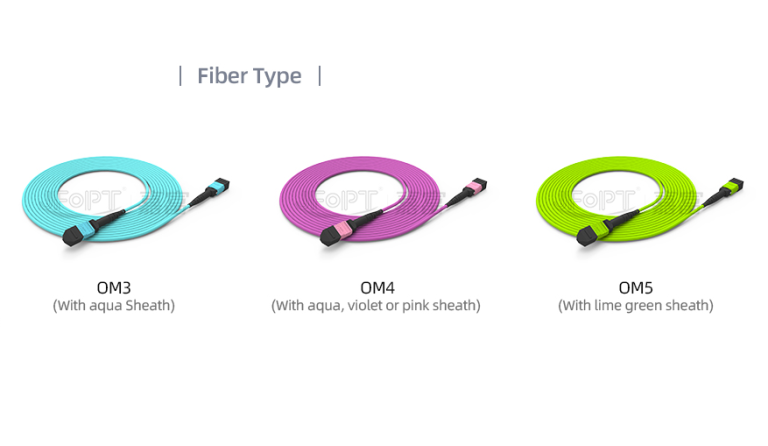
- Media Flexibility: Patch panels come in various types (UTP, STP, Fiber Optic, MPO), allowing a single rack location to manage mixed media types effortlessly.
What is a Network Switch? The Layer 2/3 Intelligence
A network switch is an active, intelligent networking device crucial for facilitating efficient data exchange between devices within a Local Area Network (LAN).
Core Functions of the Network Switch
- Frame Switching and Forwarding: A Layer 2 switch examines the destination MAC address and forwards each Ethernet frame to the appropriate port. A Layer 3 switch can also route between configured IP networks, but routing is not the defining function of every network switch.
- Network Efficiency: This intelligent forwarding minimizes network congestion and maximizes throughput, ensuring fast and reliable communication among connected devices (servers, PCs, printers).
- Value-Added Features: Modern switches provide critical functions for an Enterprise LAN, such as PoE (Power over Ethernet) capability, VLANs for network segmentation, and QoS for traffic prioritization.
Operational and Maintenance Differences
The comparison table above summarizes the passive and active roles. The remaining differences affect power, configuration, troubleshooting and lifecycle cost.
Management Complexity, Power, and Cost
The difference in functionality directly correlates to the device’s requirements and cost:
- Power: Switches require a constant, stable power source to run their CPU and forwarding engine. Patch panels require no power.
- Management: Patch panels are static—once installed and labeled, they require no configuration. Switches require extensive configuration (VLANs, security, QoS, spanning tree protocol, etc.) and continuous management.
- Cost: Switches are significantly more expensive due to the advanced processing hardware, optical transceiver cages, and software licensing involved. Patch panels are relatively inexpensive metal frames and plastic components.
Part III: Unique Insight: The Troubleshooting Philosophy
One of the most under-appreciated roles of the patch panel is its function in changing the entire philosophy of network troubleshooting and maintenance.
Isolating Faults in Seconds
- Without a Patch Panel: If a desktop loses connectivity, a technician must physically trace the long, permanent cable run back to the switch port. Any changes or testing involve bending and stressing the expensive horizontal cable.
- With a Patch Panel: The fault is quickly isolated. If the user is disconnected, the technician simply plugs the short patch cord from the panel into a known good spare port on the switch. If connectivity is restored, the switch port is the fault. If not, the horizontal cable run is the fault. This is a crucial distinction that dramatically reduces downtime and wear on the permanent infrastructure.
The Port Migration Advantage
For large organizations, rapid and reliable port migration is key. Because the patch panel provides a clear, labeled, and central point, IT staff can re-patch a user’s location from one switch or VLAN to another in less than a minute, simply by moving a short patch cord. This agility is impossible without the patch panel acting as the intermediary.
Part IV: The Synergy: Optimal Deployment in Your Enterprise LAN
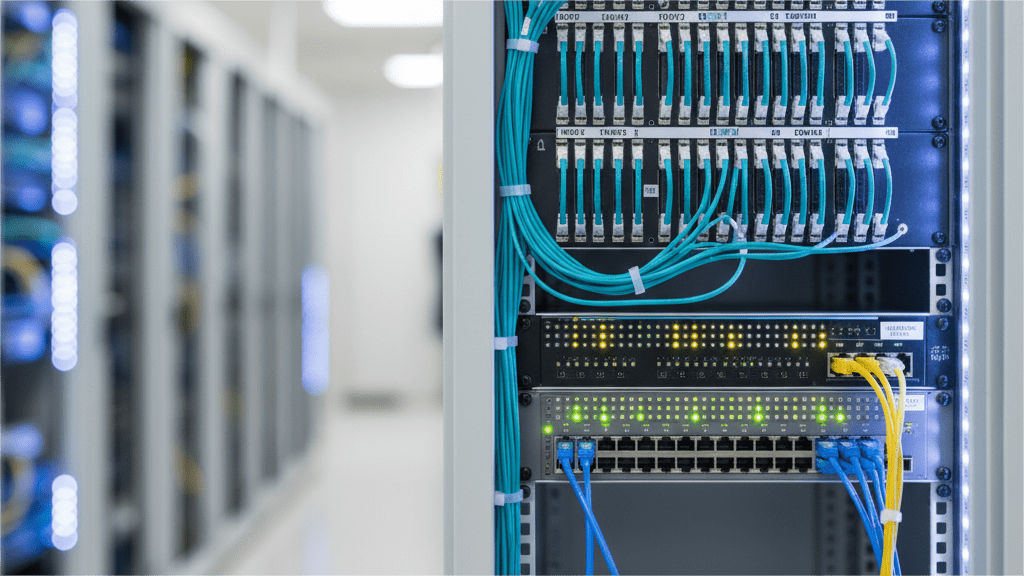
For optimal network structure, the switch and patch panel must be used together, typically stacked vertically in a rack with the patch panel positioned above the switch.
- Permanent Cabling: All horizontal cable runs are terminated onto the patch panel.
- Short Patching: Short, high-quality patch cords connect the patch panel ports to the active ports on the switch below.
- Flexibility: This arrangement ensures that the switch ports (the costly, active ports) are protected from physical wear and tear, and the permanent cable infrastructure is never disturbed during regular adds, moves, or changes.
Plan the Passive Cabling Side of the Network
Start with the port count, permanent cable type, rack space, link speed, connector or adapter format, labeling plan and future expansion. Review PHILISUN Enterprise LAN solutions, fiber patch cords and pigtails, MPO fiber enclosures and the structured cabling guide. For a project-specific cabling list, contact PHILISUN with the media, port count, rack-unit limit, distance and acceptance-test requirements.
Frequently Asked Questions
Does a patch panel affect network speed?
A correctly specified and terminated patch panel is passive. It does not forward frames, but every connector contributes to the channel, so the panel, jacks, patch cords and installation quality must meet the required copper category or fiber link budget.
Can I connect permanent cabling directly to a switch?
It can work in a small or temporary installation, but structured cabling normally terminates permanent runs on a patch panel. Short replaceable patch cords then connect the panel to the switch and protect the permanent cable from routine moves and changes.
Do I need both a patch panel and a switch?
A switch is required to connect and forward traffic between network devices. A patch panel is optional for a very small temporary setup but is normally used with the switch when the installation has permanent horizontal cabling, labeling, rack management or frequent moves and changes.
What is the difference between a fiber patch panel and a copper patch panel?
A copper panel terminates twisted-pair cabling through punch-down blocks or keystone jacks. A fiber enclosure or panel protects splices and adapters such as LC, SC or MPO while maintaining bend control, labeling and service access.
Conclusion
A patch panel provides passive termination, organization and a maintainable handoff for permanent cabling. A switch provides the powered ports and frame-forwarding logic that make the LAN operate. Small temporary networks may use a switch alone, but permanent structured cabling normally uses both.