
The fiber optic color code is the visual system used to identify fiber strands, buffer tubes, cable jackets, connectors, adapters and polish types. It helps installers trace fibers quickly, avoid wrong splices, and match the right cable or patch cord to the right optical interface.
Use this guide as a practical field reference for the standard 12-fiber color sequence, jacket colors for single-mode and multimode fiber, connector color conventions, buffer tube grouping, and common red flags during installation or procurement.
For product selection, the same color logic connects directly to PHILISUN fiber patch cords and pigtails, MPO cable assemblies, OM3, OM4 and OM5 cabling.

Fiber Optic Color Code Quick Answer
The standard fiber strand sequence is blue, orange, green, brown, slate, white, red, black, yellow, violet, rose and aqua. Cable jacket colors usually identify the fiber type: yellow for OS1/OS2 single-mode, orange for OM1/OM2 multimode, aqua for OM3, aqua or violet for OM4, and lime green for OM5. Connector colors help identify fiber type and polish, such as blue for single-mode UPC and green for single-mode APC.
Standard 12-Fiber Color Code Chart
The 12-color sequence is used for individual fiber coatings and often for buffer tubes or fiber groups. In higher-fiber-count cables, the sequence repeats with additional markings, binders, tracers or printed legends depending on the cable design.
| Fiber number | Color | Fiber number | Color |
| 1 | Blue | 7 | Red |
| 2 | Orange | 8 | Black |
| 3 | Green | 9 | Yellow |
| 4 | Brown | 10 | Violet |
| 5 | Slate / Gray | 11 | Rose |
| 6 | White | 12 | Aqua |
A simple memory rule is to treat the 12 colors as one repeating block. For a 24-fiber cable, fibers 1-12 use the sequence once, and fibers 13-24 repeat it with group identification. For 48, 96, 144 or 288 fibers, check the cable legend because manufacturers may use tubes, binders, rings or printed numbers to separate repeated groups.
Fiber Jacket Color Code by Cable Type
The outer jacket color is a fast way to identify the overall fiber category, but it should be confirmed with printed markings, part numbers and project documentation. Outdoor cable jackets may also be black for UV and environmental protection, even when the internal fiber type is OS2, OM3 or OM4.
| Jacket color | Common fiber type | Typical use | Field note |
| Yellow | OS1 / OS2 single-mode | Long-distance, telecom, campus backbone and data center interconnects | Check UPC/APC connector polish before mating |
| Orange | OM1 / OM2 multimode | Legacy LAN and older multimode systems | Do not assume support for modern 40G/100G links |
| Aqua | OM3 multimode, sometimes OM4 | 10G, 40G and selected 100G short-reach links | Confirm OM grade from print legend and loss budget |
| Violet | OM4 multimode | Higher-bandwidth multimode data center cabling | Often used to distinguish OM4 from aqua OM3 |
| Lime green | OM5 wideband multimode | SWDM-aware multimode designs and selected high-speed links | Use when the optics actually benefit from OM5 |
| Black | Outdoor or ruggedized cable jacket | OSP, tactical, industrial or protected runs | Read the printed jacket legend for actual fiber type |
For more detail on multimode fiber grades, see Multimode Fiber Guide: OM1, OM2, OM3, OM4 & OM5.
Connector and Adapter Color Code
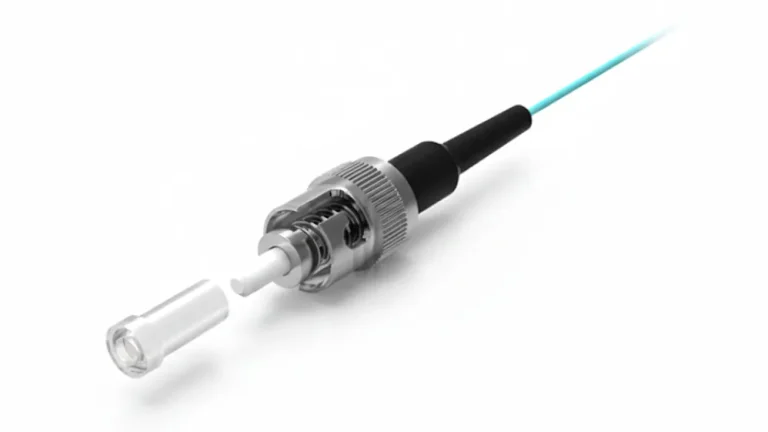
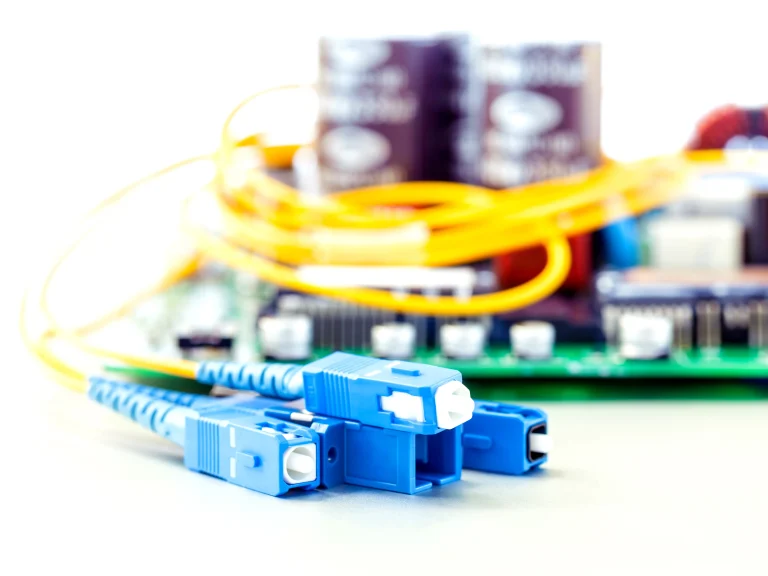
Connector and adapter colors help technicians avoid fiber type and polish mismatches. This is especially important in single-mode links, where mating APC and UPC connectors can cause high insertion loss, high reflection and possible end-face damage.
| Connector or adapter color | Typical meaning | Common interface | Warning |
| Blue | Single-mode UPC | LC, SC, FC | Do not mate directly with APC green connectors |
| Green | Single-mode APC | LC, SC, FC | Use where low back-reflection is required |
| Beige or black | Legacy multimode | SC, ST, LC in older systems | Confirm OM1/OM2 before reuse |
| Aqua | OM3 or OM4 multimode | LC, SC, MPO/MTP | Check printed legend for OM3 vs OM4 |
| Violet | OM4 multimode | LC or MPO/MTP | Useful in high-density data center racks |
| Lime green | OM5 multimode | LC or MPO/MTP | Match to OM5/SWDM design requirements |
For polish selection, read UPC, PC & APC Connectors: How to Choose the Right Fiber Connector. For connector families, see LC Fiber Connector Guide: LC vs SC vs MPO.
Buffer Tube and High-Fiber-Count Cable Color Coding
In loose tube and high-fiber-count cables, color coding is applied at multiple layers. Individual fibers follow the 12-color sequence, buffer tubes may also follow a color sequence, and larger cable designs can use binder groups, ribbons, printed numbers or tracer marks to avoid confusion after the first 12 fibers.
| Cable element | What the color identifies | Why it matters |
| Fiber coating | Individual strand number inside a group | Controls splice order and end-to-end mapping |
| Buffer tube | Tube or group sequence in loose tube cable | Helps technicians locate the right fiber group quickly |
| Binder or ribbon group | Higher-level grouping in dense cables | Supports 48F, 96F, 144F, 288F and larger designs |
| Jacket print legend | Fiber type, count, rating and manufacturer data | Confirms the color code when jacket color alone is not enough |
Color Code Mistakes That Cause Network Problems
- APC to UPC mismatch: Green APC connectors should not be mated with blue UPC connectors.
- Single-mode to multimode mismatch: Yellow OS2 and aqua OM3/OM4 links use different fiber cores and optics.
- OM3/OM4 assumption: Aqua can appear on both OM3 and OM4 cable, so printed markings and link budget still matter.
- Outdoor black jacket confusion: Black jacket color often indicates environment, not the internal fiber grade.
- Repeated 12-color groups: High-fiber-count cables need tube, ribbon, tracer or printed legend checks before splicing.
Procurement Checklist for Color-Coded Fiber Cables
- Confirm fiber type: OS2, OM3, OM4, OM5 or another specified grade.
- Confirm connector family: LC, SC, FC, ST, MPO or MTP-compatible design.
- Confirm polish: UPC or APC for single-mode links.
- Confirm jacket color and printed legend match the purchase specification.
- For MPO links, confirm fiber count, polarity, gender, pinning and connector body color.
- Match the cable to the optical transceiver, such as 10G SR, 100G SR4 or 400G short-reach optics.
PHILISUN can supply custom labeled patch cords, pigtails, MPO trunks, harnesses, cassettes and optical transceivers for project-specific color, polarity, length and loss requirements.
Fiber Optic Color Code FAQ
What is the standard fiber optic color code?
The widely used fiber optic color code uses a 12-color sequence for fibers and tubes: blue, orange, green, brown, slate, white, red, black, yellow, violet, rose and aqua. Cable jackets and connectors also use colors to identify fiber type and polish.
What color is single-mode fiber?
Indoor single-mode OS1 or OS2 fiber is commonly yellow. However, outdoor or ruggedized cables may use black jackets, so the printed cable legend should always be checked.
What color is multimode fiber?
Legacy OM1 and OM2 multimode cables are often orange, OM3 is usually aqua, OM4 may be aqua or violet, and OM5 is commonly lime green.
What do blue and green fiber connectors mean?
Blue usually identifies a single-mode UPC connector, while green identifies a single-mode APC connector. UPC and APC connectors should not be directly mated because their end-face geometry is different.
Can fiber optic cable colors be customized?
Yes. Many projects use custom jacket colors, labels or printing for inventory control, OEM programs or site-specific standards. When custom colors are used, printed legends and documentation become especially important.
Conclusion
The fiber optic color code is more than a visual convenience. It protects installation accuracy, reduces troubleshooting time, and helps procurement teams match the right fiber type, connector polish and optical performance to each link.
For color-coded fiber patch cords, MPO assemblies, pigtails, custom labels or project-specific cable builds, contact PHILISUN for a configuration matched to your network design.