
Quick answer: low-latency fiber cabling for AI and HPC networks is not only about choosing a faster cable. End-to-end latency depends on fiber distance, switch hops, transceiver behavior, FEC, AOC or DAC electronics, topology design and how cleanly the cabling route supports the cluster.
AI training clusters, GPU fabrics, storage backbones and HPC systems all depend on predictable interconnect performance. Fiber cabling can support high bandwidth and clean long-reach routing, but the physical cable is only one part of the latency budget. This guide explains how to plan low-latency fiber and high-speed cable links without overpromising what cabling alone can solve.
What Fiber Latency Is and What It Is Not
Fiber propagation delay is the time light needs to travel through the cable path. A practical planning estimate is about 5 microseconds per kilometer one way, or about 10 microseconds per kilometer round trip. For the calculation details, see the PHILISUN fiber optic latency calculator.
However, AI and HPC latency is not just propagation delay. Switch forwarding, NIC behavior, protocol stack, congestion, FEC, retimers, optical engines and topology can add more delay than a short fiber run. A 3-meter cable choice matters, but it should be evaluated together with the complete link design.
Latency Drivers in AI and HPC Links
| Latency driver | Why it matters | Planning note |
|---|---|---|
| Distance | Longer fiber paths add propagation delay. | Keep latency-sensitive routes physically short and avoid unnecessary loops. |
| Switch hops | Each device adds forwarding and queueing behavior. | Review spine-leaf or fabric topology, not only cable type. |
| FEC | Forward error correction improves reliability but can add delay. | Check the port mode and transceiver requirements. |
| Transceiver or AOC electronics | Optical conversion and active components add processing behavior. | Use compatible, tested optics and cable assemblies. |
| DAC, ACC or AEC electronics | Passive DAC is simple, while ACC/AEC adds active signal support. | Compare cable length, signal margin, power and thermal impact. |
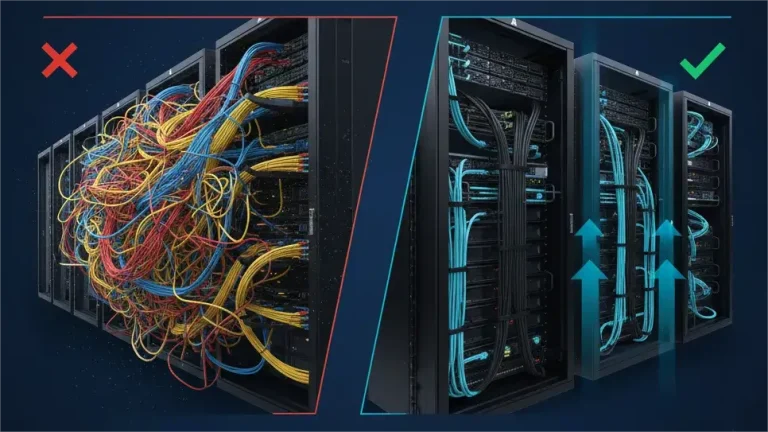
| Cabling route | Poor routes increase length, bend stress and maintenance risk. | Plan cable managers, trays, labeling and service loops early. |
Fiber vs DAC vs AOC for Low-Latency AI/HPC Links
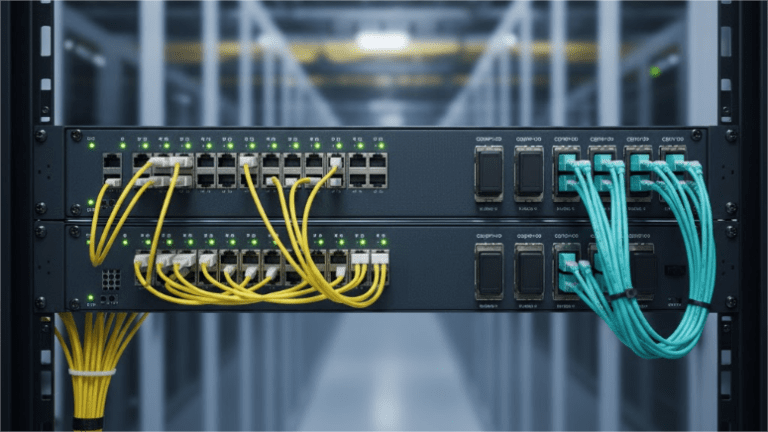
Passive DAC is often attractive for the shortest same-rack links because it avoids optical conversion and uses very low power. It can be a strong choice for short switch-to-server or switch-to-switch connections when length and cable thickness are manageable.
AOC is useful when the route needs more distance, lower cable weight or better airflow than copper can provide. AOC integrates optical engines and fiber into one factory-tested cable assembly, which can simplify high-density AI cluster routing.
Transceivers plus structured fiber are stronger when the network needs patch panels, MPO trunks, documented fiber paths or future upgrade flexibility. This approach can be better for row-level, room-level and data center interconnect designs.
For a cable-family view across DAC, ACC, AEC and AOC, use the DAC vs ACC vs AEC vs AOC guide. For routed-length decisions, see the DAC/ACC/AEC/AOC cable length limits guide.
Topology Matters More Than One Cable
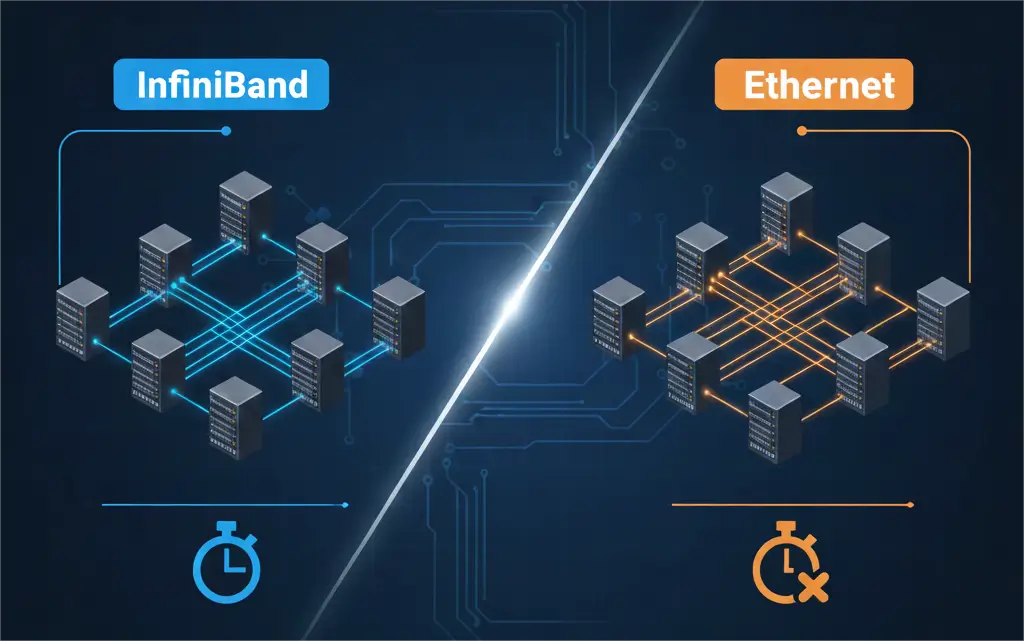
AI and HPC networks often compare InfiniBand and Ethernet, but the physical layer still needs careful planning. Topology, oversubscription, congestion control and switch placement can change application-level latency more than the difference between two short cable assemblies. For the protocol-level comparison, see InfiniBand vs Ethernet latency.
Low-latency cabling starts with the rack layout. Keep GPU nodes, top-of-rack switches, storage paths and spine uplinks as physically direct as possible. Avoid unnecessary cable slack in critical paths, but still leave enough service loop for safe maintenance.
Practical Low-Latency Cabling Checklist
- Map the actual routed length, not only rack-to-rack straight-line distance.
- Separate same-rack links, adjacent-rack links and row-level links before choosing cable families.
- Use passive DAC only where length, bend radius and cable bulk are comfortable.
- Evaluate AOC when airflow, weight or distance make copper difficult.
- Use optical transceivers and structured fiber when patching, documentation or future upgrades matter.
- Check FEC, port speed, switch platform, coding and diagnostic support before bulk deployment.
- Label both ends and keep test documentation for fast replacement during cluster maintenance.
PHILISUN Product Path for AI/HPC Cabling
For short copper links, start with DAC Cables. For integrated optical cable assemblies, see AOC Cables. For high-speed active copper and optical cable families together, start from AOC & DAC Cables. For modular optical links, see Optical Transceivers. For project-level design with fiber backbone, MPO cabling, patching and testing, use Fiber Optic Network Solutions.
Planning AI/HPC interconnects? Share the switch or NIC model, port form factor, target speed, routed length, rack layout and latency-sensitive paths. PHILISUN can help select fiber, AOC, DAC, ACC, AEC or transceiver options for the deployment.
Low-Latency Fiber Cabling FAQ
Does fiber optic cable reduce latency?
Fiber can support fast, stable and long-distance high-speed links, but latency depends on the full path. Distance, switches, FEC, optics and topology all affect the final result.
Is DAC lower latency than AOC?
For very short same-rack links, passive DAC can be attractive because it avoids optical conversion. AOC may be better when distance, airflow or cable routing makes copper difficult.
Does FEC add latency in high-speed networks?
Yes. FEC can add delay, but it also improves link reliability at high speeds. The right choice depends on the port mode, optics, cable family and network requirements.
Should AI clusters use AOC or transceivers with fiber?
Use AOC for fixed point-to-point optical cable assemblies. Use separate transceivers and fiber when the deployment needs patch panels, MPO trunks, modular upgrades or structured documentation.
What information is needed for a low-latency cable recommendation?
Provide the switch or NIC model, port form factor, speed, routed length, rack layout, cable family preference, FEC requirements and any airflow or bend-radius constraints.